

Get a Demo
Get StartedConceptsProductsGuidesUI ComponentsAPI Access
    • Prefill KYC Data
    • Handling Drop-offs & Resuming Onboarding
    • Displaying Card Actions
    • Displaying Card Image
    • Displaying Card Transactions
    • Funding & Simulating Transactions
    • Payments
    • Disputes Flow
    • Plaid Integration
    • Bill Switch / Deposit Switch
Get a Demo
On this page
  • Overview
  • Steps to display card actions
  • 1. Get consumer scoped token
  • 2. Load Upward Component

Displaying Card Actions

Overview

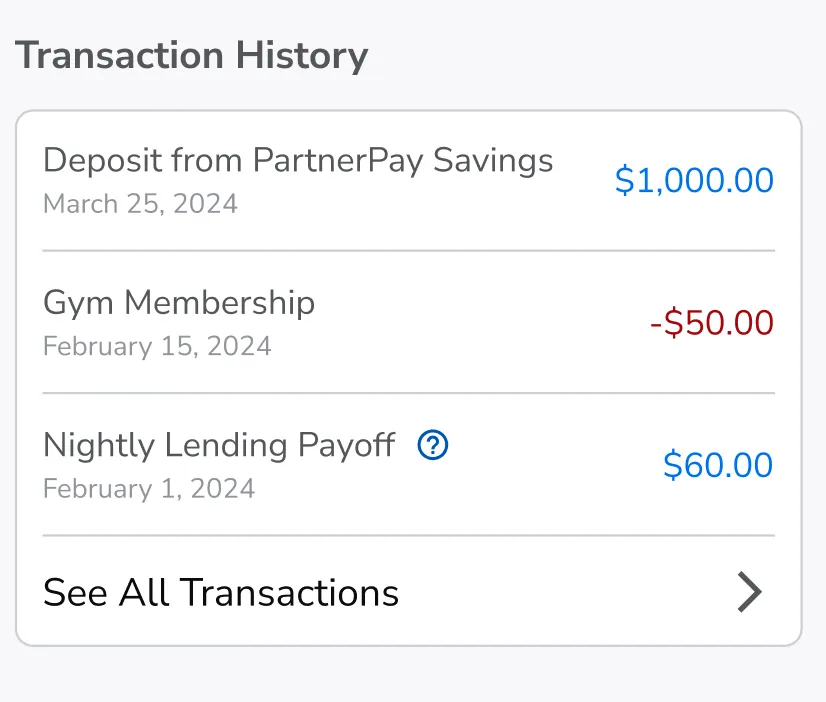
Upward provides a way for partners to embed just the card transactions within there environment. Card Action
Steps to display card actions

1. Get consumer scoped token

Card actions component needs consumer scoped token to perform all actions. Scope needed api:card-management:read api:card-management:write

2. Load Upward Component

URL: https://component-embedded-sandbox.upwardli.com/card-transactions?access_token={consumer_scope_token}

Was this page helpful?
Previous

Funding & Simulating Transactions

Next
Built with
LogoLogo